Showing posts with label techniques. Show all posts

Saturday, March 21, 2009

Broken Window

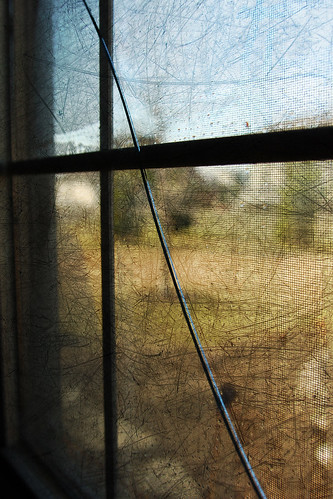
Because of the extreme cold weather in January, one of our double paned windows cracked. We covered it up with cardboard to prevent more breakage and keep little hands / feet from getting cut. Scott uncovered it today and took it to a local glass shop to have it measured for repair. A perfect opportunity for Two Peas theme of Safety / Risk.


This is my first picture using a texture! It was super simple. I followed one of CoffeeShop Rita's great tutorials.

Read more...

Thursday, March 12, 2009

74/365: New Camera Toy

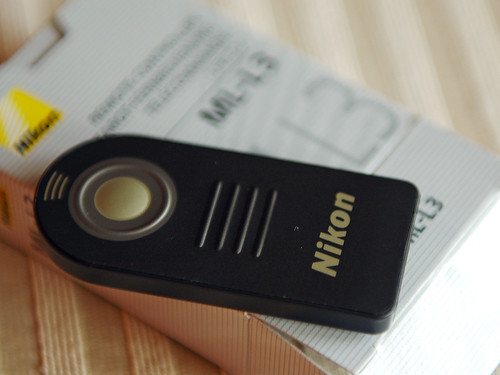
I ordered a remote control for my camera and it arrived today. I had some fun playing around with it.

Even though it's not much bigger than my thumb, and probably cost $.50 to make, it's a pretty handy gadget, especially when taking pictures of oneself.


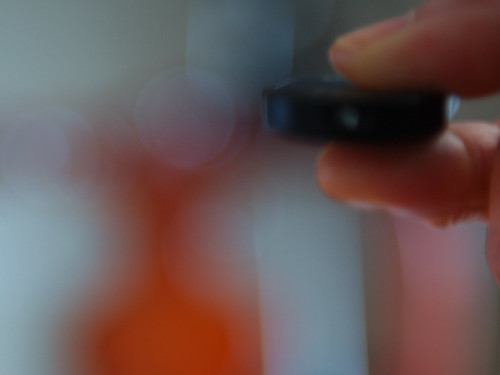
Oops, I pre-focused this one, and nothing was in the focus area. So we have remote control bokeh.


The remote, in action!


Erica said I was a complete nerd for getting so excited about my new toy. Hey, what does she know? When it comes time for our yearly family picture, she won't have to watch me use the self-timer and run around. I bet she'll even want to push the button!

Read more...

Monday, February 9, 2009

SS Photo Challenge Week 6 - Rule of Thirds

In this week's ScrapShare Photo Challenge, we played with Composition, utilizing the Rule of Thirds.

To illustrate this basic principle, I took two generic pictures of my daughter sitting with her cat in the middle of the yard - nothing spectacular, and the only pictures my daughter will tolerate these days.

For the first picture, I placed them directly in the center of the viewfinder.


In the second picture, I placed her in the lower third of the scene.


Yeah, even with a plain picture, the one employing the rule of thirds looks more interesting (well, at least to me).

Read more...

Monday, February 2, 2009

36/365: Waterfall and Shutter Speeds

At ScrapShare, Terri G is leading a series of Photography Challenges, and last week, she encouraged us to experiment with Shutter Priority Mode.
I was also inspired by Pat's flowing water pictures and knew that I would have to decrease my shutter speed to get that silky water effect.
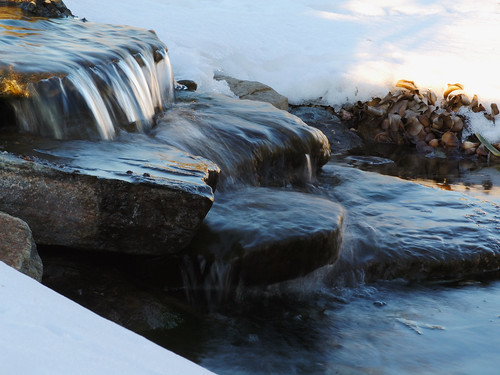
The results? Today's waterfall pictures, taken from our fish pond:

First, a fast shutter speed:

EXIF:
Exposure: 0.002 sec (1/640)
Aperture: f/2.8
Focal Length: 70 mm

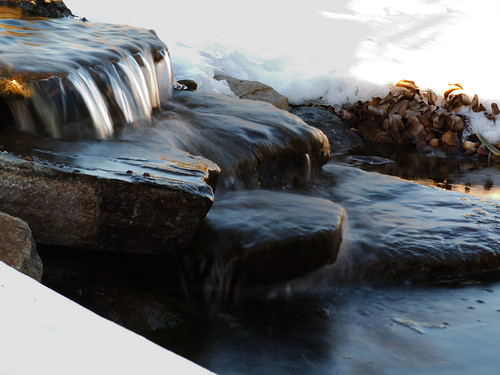
Slowest shutter speed I could get in S Mode without the camera warning me that the picture was going to be over exposed:

EXIF:
Exposure: 0.125 sec (1/8)
Aperture: f/22.0
Focal Length: 70 mm

Lastly, I "went crazy" (maybe because I was getting pretty cold at this point and my knee was starting to hurt from kneeling in the snow), and shot in Manual Mode.


The image straight out of the camera was pretty overexposed, and I adjusted the exposure level and curve to darken it. I was trying to get a more silky water effect, but it doesn't look too different from the 2nd shot to me.

EXIF:
Exposure: 0.3
Aperture: f/22.0
Focal Length: 70 mm

So I learned that it doesn't take a super long shutter speed to get those cool silky water effects.

Read more...

Wednesday, January 14, 2009

17 / 365: Tire Tracks in the Snow

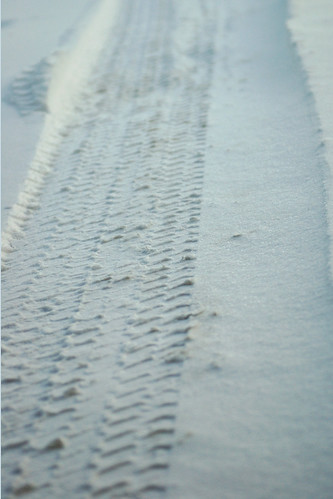
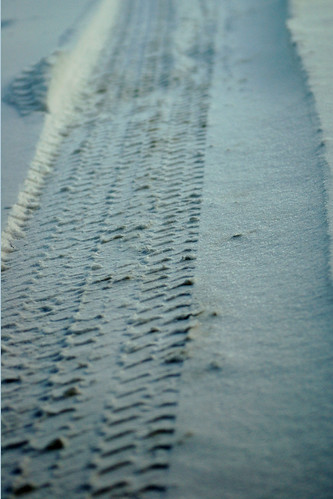
We received 4 inches of snow today, so here are the tire tracks into the garage. I took one picture, then applied different Levels settings.

In PSE, I moved Black slider slightly from left to right. Even this picture shows more of the tracks' detail than what was really visible to my eye, but I think it represents a good balance.


How to make the fresh snow dirty. I moved the Black slider more to the right, close to where the histogram started to climb upwards.


I'm not sure which picture I prefer - the first one is more realistic but the second one is more dramatic.

Read more...

Monday, January 12, 2009

White Balance Preset

I also posted this on my personal blog, and since it is photography related, thought I would post here, too.

Today's photography lesson - using the White Balance Preset on my camera. I even read the manual for the instructions on how to do this. I used White / Black / Grey / RAW Grey Card I had (taken out of my How - To - PSE 4.0 book by Scott Kelby).

Picture of the card, using Auto White Balance. Ugg - This has never been the D70's strong suite. Yeah, it is supposed to be white, black, grey and light grey.


Still using AWB, a picture of my CK magazine that arrived in the mail:


Then, I set the White Balance Preset, using the RAW White Balance section (a really light grey), then took the pictures again, with far better results:

See, the colors are right!


Now, setting the WB preset can take time and sometimes you just don't have time. This is why I shoot in RAW and adjust the WB in my Post processing step. In fact, I had to adjust many of the other pictures. I'm pretty sure the AWB has improved on the latest Nikon cameras, so I'll enjoy it when I finally buy that D300.

Read more...
Tuesday, December 30, 2008

2/365: Dodging for the First Time

Even though I have owned Photoshop Elements since 2005, I had never taken advantage of the advanced features it is capable of. Last year, I followed one of Jessica Sprague's tutorials and learned how to use layers for Digital Scrapbooking. The problem with written tutorials is they are often hard to follow. Enter the Video Generation and Youtube, where video tutorials abound.

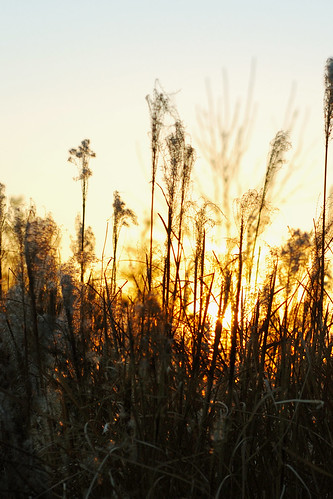
This evening, I took the following picture of some prairie grass as the sun set. I had limited time and only snapped one exposure:

The grass is underexposed, so I thought I would try to dodge some of the detail out. I found an excellent video tutorial on YouTube, produced by "photoshopkid" [the things kids are into these days!] and dodged for the first time.

I'm sure this won't win any photo contests, but I like the results (I cropped it, too):

Read more...

Copyright Notice

All images on this blog (unless stated) are the intellectual property and copyright of SLPhotography (that's me!) and Behind the Lens (© 2009). Do not steal, borrow or pirate the images here.

The copyright law of the United States (Title 17, United States Code. and the Digital Millennium Copyright Act) prohibits the use of digital property to be used without the consent of its owner.

  © Blogger templates Psi by Ourblogtemplates.com 2008

Back to TOP